 I took the story Seal Surfer by Michael Foreman, out of the State adopted Houghton Mifflin Language Arts text and developed a little PowerPoint presentation to strengthen vocabulary lessons in the text book. Using Flickr, http://www.flickr.com/, and the images other photographers have taken and shared on the site under Creative Commons licensing, I combined them with the story’s vocabulary lessons. The initial investment in time of gathering the complimenting Flickr images to go with the story vocabulary will be reused over and over in subsequent lesson examples. This example will demonstrate how to search for images licensed under Creative Commons copyright, save them to your local computer with their original author’s information embedded into the images so they are easy to cite when used later. These images will be combined with the key vocabulary words to create a simple PowerPoint presentation that you could use with your students.
 Flickr is a web site that thousands of people all around the world use to share and get feedback about their photographs. Many of the images are licensed under the Creative Commons copyright license. 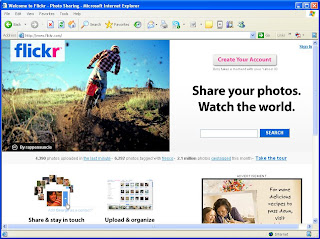 A Creative Commons license means the author of the work will allow other people to use their photographs in other works, whether that be PowerPoint presentations or a school report. I find Flickr to be very easy to use and share many of my own photographs on my own Flickr account. That being said, I would only recommend this site for teachers to use and would never recommend individual student use without direct adult supervision. To use Flickr to gather images licensed under Creative Commons copyright, you will need use the advance search function in Flickr. In the search window check the boxes for finding photos that are licensed under Creative Commons, type in your search term, and review the results. When you find an image that you would like to save and use in your own PowerPoint, click on the image, select the appropriate size, and then right-click the image selecting the “Save Image as…” option. Be sure to save the image in a location you will remember later when you are creating your PowerPoint. The last part of this process is to embed the link to the original image on Flickr within the photograph’s image properties. This way you can properly cite the original author of the photograph when you import it into your PowerPoint presentation.
 A Creative Commons license means the author of the work will allow other people to use their photographs in other works, whether that be PowerPoint presentations or a school report. I find Flickr to be very easy to use and share many of my own photographs on my own Flickr account. That being said, I would only recommend this site for teachers to use and would never recommend individual student use without direct adult supervision. To use Flickr to gather images licensed under Creative Commons copyright, you will need use the advance search function in Flickr. In the search window check the boxes for finding photos that are licensed under Creative Commons, type in your search term, and review the results. When you find an image that you would like to save and use in your own PowerPoint, click on the image, select the appropriate size, and then right-click the image selecting the “Save Image as…” option. Be sure to save the image in a location you will remember later when you are creating your PowerPoint. The last part of this process is to embed the link to the original image on Flickr within the photograph’s image properties. This way you can properly cite the original author of the photograph when you import it into your PowerPoint presentation.
 Seal Surfer Vocabulary PowerPoint Presentaton (Click to Download File)
The following Jing videos will walk you through the processes described above:
1. Create a title slide of the cover of your story using your cell phone and edit the image online in the free software called Picnik.
2. Search Flickr for photographs licensed under Creative Commons
3. Create your PowerPoint Vocabulary Presentation
Let me know how it goes and if you create a vocabulary based PowerPoint send me a copy so we can share!
Next time, learn how to take your finished PowerPoint presentation and repurpose it in different formats for additional "learning mileage!"
Until next time...
John

.jpg)
6 comments:
Great idea! This also works well for junior high science vocabulary. I have had my students make science flash cards using Flickr and PowerPoint.
This I've never thought of. This is why you and Joe Wood are both in my Google Reader. Can I have a gin with your edutonica?
brian
Our school filters out Flickr from Internet use in the classroom, so what do you suggest for vocabulary pictures, etc.
Our school filters out Flickr, so what do you recommend in creating pictures, etc., for Vocabulary Words. (Quizlet.com, is awesome, but it gets filtered). I also teach third grade, by the way, with the same curriculum, it seems (Houghton Mifflin, California). Am looking for vocabulary pictures with Scott Foresman curriculum for Social Studies, and Harcourt Brace for Science.
Hi James,
Can you get to http://compfight.com from your district network? This is a nice image search site that will allow for CreativeCommons image searches. I would try it before turning students loose on due to the fact I have not used it much and it may contain questionable content. Not sure.
Thanks John. It appears compfight.com also uses Flickr. In any case, it also is filtering out the picture (I get a blank box with an x where pictures should appear, when viewed at school).
Jim
Post a Comment