Showing posts with label education. Show all posts

Sunday, May 1, 2016

The Oculus Rift Experience and Learning

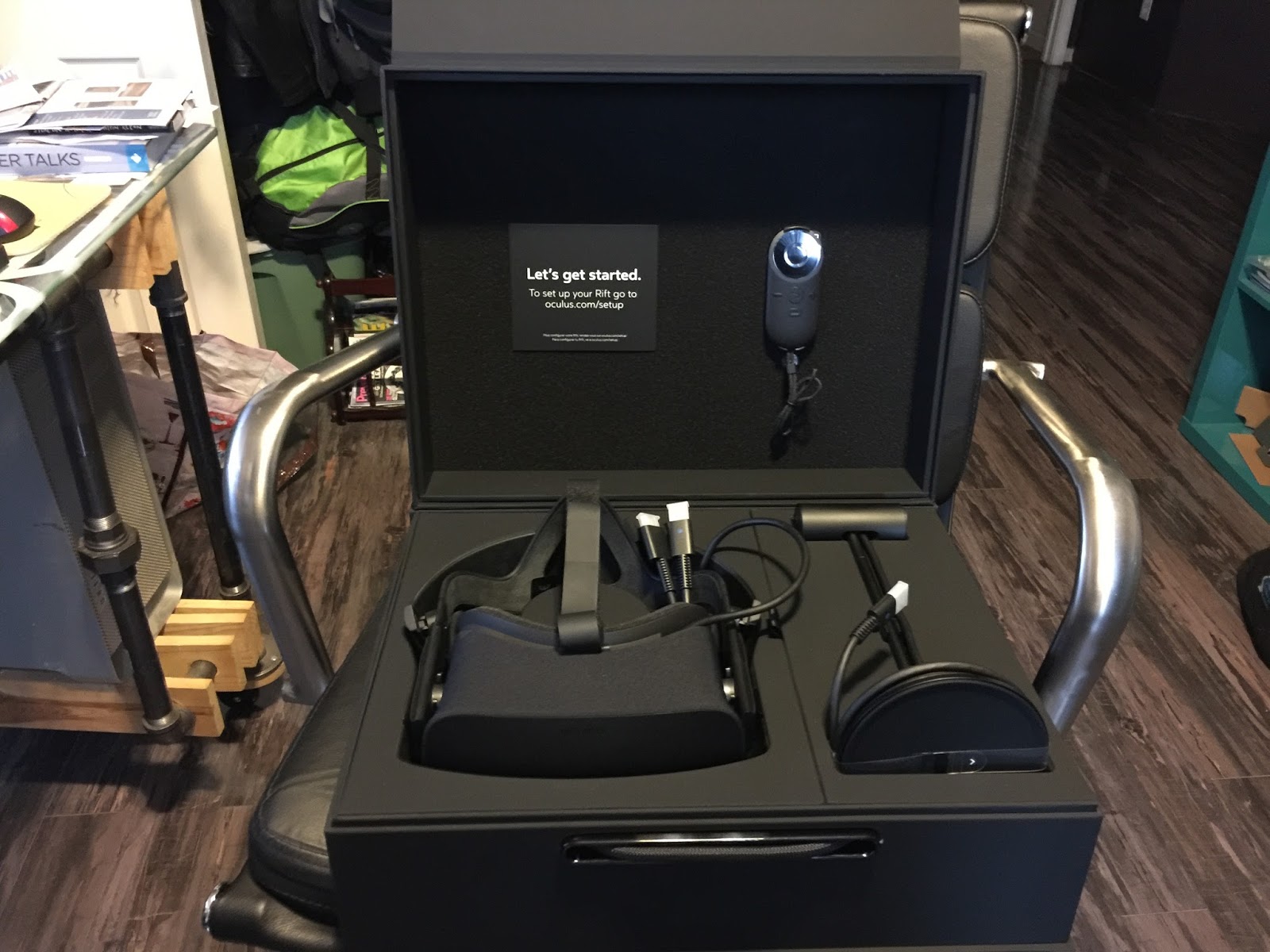
My Oculus Rift came this week and last night I got around to plugging all the components in and giving it a spin. Oculus Rift is the VR headset the Palmer Lukey developed and then sold to Facebook for $2 billion. There have been developer models for a few years now, but this year marked the release of the initial public version.

The public release includes the headset/headphones, motion sensor (that reminds me of an old Apple iSight camera, only black instead of silver,) a small remote control, and a XBox Controler. These devices all connect to a computer, with ample horsepower and a high end graphics card ( NVIDIA GTX 970 / AMD R9 290 equivalent or greater,) three 3.0 USB ports, 1 2.0 USB port and an HDMI port.

I have always been a fan of VR, since the days of QuickTimeVR, and continue to explore the medium with cameras and software to this date. When Google released Google Cardboard, almost two years ago now, I was quick to generate my own Cardboard creations using Unity, the Cardboard API, and IOS Developer tools. Cardboard really brought VR into the vernacular of many people, beyond the “nerds and geeks,” like myself. A put together a web site titled www.vrstorydesign.com that I might start sharing some of the things that interest me regarding VR. For now, it just contains a few vr  tours I created that you can explore in Cardboard or through your web browser.

With the release of Oculus Rift, we are beginning to see the very early beginnings of VR technology’s potential. The science fiction, so cleverly described in Ready Player One by Ernest Cline, begins to take shape on your face the minute you put on the Rift. After connecting the spaghetti of cables to your computer, and installing the software, the introductory sequence is quite amazing. The speed at which your brain gets sucked into the immersive experience is a bit spooky. The initial start up sequence of content is very appropriately positioned to induct you into the Rift VR world. I’m not a big fan of heights, and the introductory sequence includes a 3D generated scene on top of a “steampunk” looking skyscraper. I immediately felt the tinge of a panic attack coming on while looking out over the CGI ledge. I lost myself so quick in the sequence, that I found myself instinctively trying to look down at my hands to see what I was trying to select on my remote. That’s kind of hard to do when you have a mask covering your eyes.

After using the Rift for a little while, it’s not hard to see the potential for what this technology can bring to education and learning. As educators, we strive to engage students in the learning environment we call the classroom. If you are an OG geek like me, you can remember the days of watching Star Trek and the story lines involving the holodeck. Wearing the Rift begins to bring the whole holodeck idea to life. It is not too much of a stretch to imagine students excavating an archaeological site uncovering artifacts and evaluating them. Or standing within a tide pool on the Monterey Coast examining creatures in the pools, taking notes, virtual photographing them for later review, or researching what they are finding in a HUD in the corner of their view. Don’t worry about the technology isolating them from other people, there is a growing number of systems such as AltSpaceVR that are designed to bring people together to explore these environments together. One highly anticipated social vr environment is Project Sansar, from the Linden Labs folks. These are the people who created Second Life. This summer they are planning to open Project Sansar to content developers, with an anticipated launch in the Fall/Winter time frame.

I can foresee many opportunities for bringing VR to the classroom as the hardware and software continue to evolve. It is not completely out of the question, at the speed at which technology improves, that the full 60 frame per second, wireless from a mobile device, VR will soon replace the high end workstation and spaghetti of cables currently used to view VR. Who knows, VR and a mobile device could essentially eliminate the need for desktop computers. Early applications such as Tilt Brush by Google, and Virtual Desktop on Steam provide more reasons to compute directly though VR. The future of learning looks exciting!

Tuesday, November 25, 2014

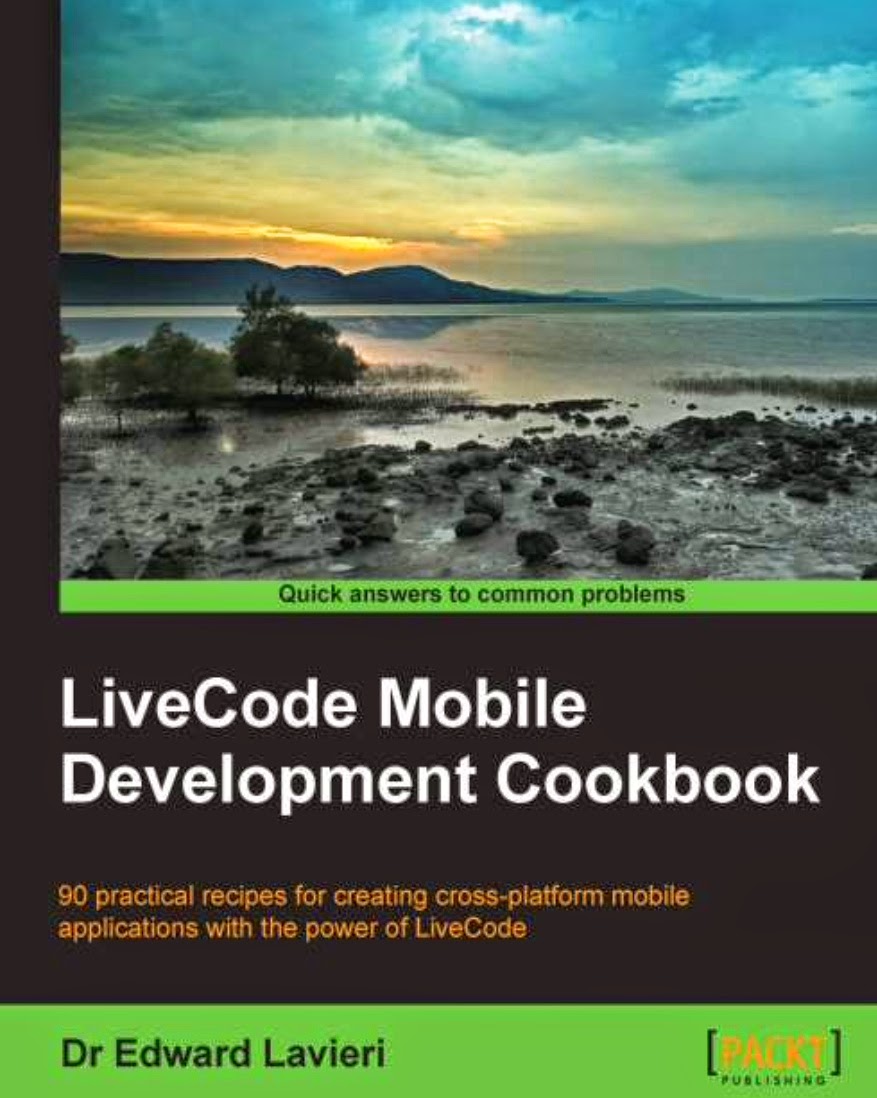
LiveCode Mobile Development Cookbook


In K12 education today, the emphasis on teaching students and universal common set of learning standards, coupled with the ability to develop unique solutions to open ended problems lends itself to coding and computer programming. There are a plethora of apps and software tools that provide students with some of the fundamentals and programmatic thinking principles necessary for learning to code/program. However, these tools do a great job at providing the underlying thinking, but not so good a job of allowing learners to develop working applications ready for public distribution to the most common computer platform, mobile computing.

Edward Lavieri's new book, LiveCode Mobile Development Cookbook does a great job of supporting learners beyond the programmatic thinking and into real app development using LiveCode. The book does a nice job of scaffolding the learning from the initial configurations for developing, for both the iOS and Android platforms, all the way up to utilizing databases within your app for storing and retrieving data. The later chapters of the book focus on providing modules for standardized mobile user interfaces and for including multimedia components in your apps.

The book assumes some prior familiarity with LiveCode, but presents its content in manageable chunks, with easy to follow and well documented tutorials.

I would recommend this book for anyone ready to take their programming beyond the theoretical and into actual app development stage. This book easily supports a second tier coding/programming class, where students have mastered introductory concepts and are ready put that thinking to use in developing actual solutions.  (https://www.packtpub.com/application-development/livecode-mobile-development-cookbook)

Monday, November 10, 2014

Memory Game Built Using LiveCode


How good is your memory?

Here is a little LiveCode example project based on the old memory game that requires that you repeat a specific pattern. The game begins by clicking the start button and will continue incrementing up until you make a mistake. How high can you go? I pretty much bomb out at 7 or 8 steps.

This LiveCode example works both as a desktop application or as a iOS mobile application. The scripts/code for this project live in the “Start” button, the Card script, and the colorful game buttons: one, two, three, and four. The card script contains the CheckProgress command which determines whether the player is correct or incorrect. It also contains, essentially, a matching series of code that the desktop version of the Start button uses, but incorporates the iOS specific commands for mobile. If you compare the iOS code in the Card script, and the desktop app code within the Start button, you will notice some similarities.

The musical notes were created in Apple’s Garageband and saved as mp3 and wav files. The mp3 files are referenced from within the iOS package (they are included as individual files in the apps sandbox) in order to play and the wav files are imbedded into the application for playback in the desktop version. (MP3 files were converted to wav files using the OSX terminial application afconvert.) You will notice differences between the desktop code and the iOS mobile code.

Finally, to address different screen resolutions on both an iPad and an iPhone, it uses the “fullScreenMode function within LiveCode, a relatively new addition to the development tool, to make adjusting screen resolutions automatic. The application will automatically resize itself to fit within the devices screen resolution. It is one line of code within a preOpenStack call: set the fullScreenMode of this stack to “ExactFit.” That’s it.

The Memory Game project file is available here: Download .

Here is a short YouTube video explaining more about the process of creating the memory game example with LiveCode and a peak at the code:


Monday, November 3, 2014

Puzzle Pullooza App With LiveCode

This little puzzle example started out as a little Sunday evening mental exercise. How to create a simple puzzle activity that would work well as a desktop application and as a mobile application. As a result of that effort, I think this little project does a great job of showcasing some of the great features of creating mobile and desktop apps with LiveCode. There is actually a great little book by Colin Holgate, LiveCode Mobile Development, https://www.packtpub.com/application-development/livecode-mobile-development-beginners-guide, that I would recommend that gives another puzzle app example and much more. It’s an easy read and great way to introduce yourself to LiveCode.


Now, back to Puzzle Pullooza. The app is pretty basic in appearance and in its code. To begin, the majority of the code is in the stack script. Here is a Google Docs link where I have shared the code: Puzzle Pullooza Code . You can see from the Google Doc, the code is pretty easy to understand. I have attempted to comment each section of the code to explain what it does. But, you may be able to decipher what the code does without even understanding much programming.

In order to begin poking around the app and discovering how it works, I would recommend you download the free LiveCode Community version of the software, http://livecode.com/download/. This is the full version of LiveCode, but the OpenSource version. You can create apps, compile apps, and do everything you can with the commercial version, you just can’t sell what you create in the Apple App Store.

Once you have downloaded and installed the Community Version of LiveCode, you can download the Puzzle Pullooza app here: Download Puzzle Pullooza

Open it up and have a loop around!

The Puzzle Pullooza app showcased many of the nice feature built into the development tool. First is the ease at which code is written in the development tool, as I shared earlier. The coding features mirror many other development tools, but the plain language, and effort to create with LiveCode far outshine other development tools, in my humble opinion.

As with most applications under development, Puzzle Pullooza suffered from “feature creep.” It was very easy to take components others had shared in their projects and incorporate them into my app.

For example, I added a timer another LiveCode developers had shared online. There’s nothing like adding a stopwatch/timer to increase your level of urgency when solving a puzzle. There is also a very active LiveCode developer list, http://livecode.com/community/, and great Developer resources here: http://livecode.com/developers/.

I thought it would be neat to have folks share out on Twitter when they completed a puzzle. This component demonstrates how easy it is to build a custom web browser directly in your app. In this case, the web browser’s only purpose is to provide the twitter interface for posting to Twitter.

I’d encourage you to take a look at LiveCode. It is a great tool for students and those learning to code. The free Community Edition makes it a “no (cost) brainer.”


Wednesday, October 15, 2014

Swivl 'n Through the Classroom

I had an opportunity to try out a device on Monday at one of our school staff meetings called a Swivl. I was a Kickstarter backer for the company when they were first getting started. The Swivl bot allows you to take your iPhone or iPad and place it in a slot on the Swivl to assist with video recording. It comes with a “puck” like device that you hold in your hand or wear around your neck. The Swivl follows this puck and allows you to move around the room freely while video taping yourself. It’s a great solution if you are interested in improving your classroom instruction, but you don’t want somebody else videotaping you while you teach. My video is not the best, as I made a few rookie mistakes. Here’s a few things I learned:
  1. Be sure you place your Swivl in a location that is not facing any bright lights, such as a large window. Your device camera will underexpose the video due to all the light coming in the window. Duh.
  2. You can control the resolution of the video on your device, but if you do not, remember a 45 minute video will take a considerable amount of storage on your mobile device. My 49 minute video was 3.8GB. That might not seem like a lot on a computer, but on a year old mobile device, that is considerable. You will also want to load that video up to the Swivl Cloud, or move it to your computer so you can delete it from your mobile and free up that storage space on your mobile.
  3. Be sure your mobile device is completely charged. I recorded the example below and my iPhone5 was at a 95% charge. It died at 49 minutes. The age of your device will probably add or subtract time. The Swivl uses Bluetooth which has been known to be a little power hungry on mobile devices.
  4. Place your Swivl on a tripod to get it just above the heads of your audience.

http://cloud.swivl.com/v/8c11c5a1961afa084e13263cb5fdc205


Wednesday, October 1, 2014

Create Close Reading Activities for Your Students in LiveCode

Something I read this morning got me thinking about “close reading” activities for students. There are many different examples of them. I thought I’d take a few minutes to code up and example using LiveCode. I tried to add comments in the code as much as possible. The code is in the button, “Create Activity” and there is one function in the card script. (You will need to download the free LiveCode Community Version to open this project.)


This little example is just a quick prototype. It is not finished but could be easily taken and built upon.


I can envision this being used a teacher tool that creates close reading activities for students. Teachers could create entire collections of these activities and then store the students results. The main idea was something that was simple and quick for teachers to use.

The large top left field is where the teacher pastes the student reading selection. I should warn you that none of the text fields are protected (locked) so you can accidentally delete content or resize objects etc. If you mess something up, you can always download another copy.


The button titled, “Create Activity” is where the magic happens. After you have pasted your text selection, clicking the Create Activity button start the activity. A series of three buttons is created each containing a random word from the text selection. One of the words in the text selection has been replaced with a blank line, “*______*.” The student is responsible for selecting the correct word from the three choices (buttons).


There are many ways this activity could be tweaked to provide a different flavor of activity. Hopefully it will give you some ideas. The LiveCode project is available here: “Another Close Reading Activity Build in LiveCode.”


Just another simple example of some of the things you can do with LiveCode :)

Thursday, September 25, 2014

Google Apps GAFE Account Creator App - Built With LiveCode

Just a quick example of where learning how to code can help you get the things you need to do everyday done a little quicker. I often get requests from teachers for additional Google Apps Accounts. These can come in at all times of the day when teachers are diving into activities in Google Apps with their students and they may get a new student. It’s not always convenient to login into the Google Apps administration panel and create a single student account. Plus, if you’re using the command line app GAM (Google Apps Management), you have to type in the GAM command and then the second command for moving the student into the correct Organizational Unit. This process can get old quickly.

So to facilitate the creation of new, one-off student accounts, I created the OOGAG application. The One-Off GAFE Account Generation (OOGAG) tool. This tool was created with my favorite program development tool, LiveCode. I use a feature in LiveCode that allows me to integrate GAM. The OOGAG application essentially creates the GAM script using a GUI (graphic user interface) I created and then calls on GAM to create the GAFE (Google Apps For Education) account.


If you choose to try out the tool, be sure to install GAM and follow the directions for allowing it Google Apps permissions, etc.


You can download OOGAG here. This version of the application is uncompiled so you will need the Community Edition of LiveCode to run the application. Feel free to open the hood and poke around in the code. This uncompiled version will open in Windows, Mac OS X, or Linux.


Friday, July 25, 2014

Host Your Own Minecraft Server for Free on Amazon Web Services

For educators interested in improving their Minecraft skills, nothing beats having your own server that you can share with a few key experts (aka students). Those folks that have never used Amazon Web Services in the past can create a virtual server for free for a whole year. This will allow you to explore Minecraft on your own schedule from anywhere on the planet and with whom ever you wish. The following free eBook is a tutorial on how to get started. It is written from a Mac users point of view, but information is relative to Windows and Linux users too.


(Open in iBooks or any ePub compatible eBook reader.)

Monday, July 14, 2014

Designing Classroom Learning Spaces

https://drive.google.com/file/d/0B7WmI6kEEJPATEY0WE5hNGtNYTg/edit?usp=sharing

I had the great fortune of attending the Nueva Design Thinking Institute in June for four days. Nueva is one of the pioneers in integrating Design Thinking into the k12 curriculum. Learning spaces can contribute greatly to the effectiveness of learning and curriculum design. Nueva School, with support of the Stanford D School, have created a wonderful environment for students to learn. The following eBook (epub) contains some of the things I learned about their physical learning environments and can provide some ideas and thinking related to creating similar learning spaces. Let me know what you think!


Friday, May 16, 2014

Manage All Your iOS Devices at School For Under $1000


For years now third party vendors have been providing solutions to manage iPads and other iOS devices. These systems often can run in the thousands of dollars each year, as many are often based on a subscription type fee structure requiring a renewal each year. In many cases, the third party management solutions required you to still use Apple Configurator in order to get the third party profile on the device for remote management to work.

If you wanted to stay completely within the Apple ecosystem, and prevent finger pointing when issues arose, you were pretty much restricted to using Apple Configurator and always being tethered to the computer running Configurator to manage your student and staff devices.

This is not the case anymore. With Apple’s Mavericks Server and a Mac Mini computer, you can have the same capability as these third party systems but stay completely within the Apple ecosystem, and do it all for under $1000.

With Apple Server and its accompanying services, Users, Profile Manager, Websites, Open Directory and the new deloy.apple.com web site, you can have pretty much the same capabilities at a fraction of the cost.

In our district this year, we implemented a 1:1 iPad project for all sixth grade students. In the following years we will be adding 7th and 8th grade. We have deployed standalone Mac Mini servers at each of our middle schools. These are standalone computers located in our technology closets, no monitor, no keyboard and no mouse. We use VNC to log in remotely to them when needed, and as Profile Manager is all managed through a web interface, we can login from any computer on our network to manage our iPad devices.

We are able to manage restrictions on devices, push free and fee based apps, wipe and lock devices, and much more. Also, with our Enterprise Developer license and LiveCode, we are able to push home-grown apps directly to the student and staff iPads. This last point is something we are really excited about as we can now push interactive ebooks, learning guides, and targeted instructional apps we build, directly to student and staff devices over the air.

The following is a short video on how you can use these tools to manage your own deployment of classroom or school iPads:

Friday, November 15, 2013

Managing iOS Student Devices Remotely with VPP and Apple's Profile Manager

Next week is the annual CETPA conference (http://www.cetpa-k12.org/) and I’ll be doing a couple presentations with Burt Lo (@trubol) on managing student 1:1 iPad deployments using Apple’s new Mac OSX Server and Profile Manager. In case you can’t make it, or you want info in advance to see if you should attend...or in case the network were to die during my presentation, #RealReason, I’ve gone ahead a created a video tutorial.


The tools we are using to manage hundreds of student devices consist completely of Apple software. We do use Passenger, http://macinmind.com/?area=app&app=passenger&pg=info, to help create our student user lists for OS X Server ($60 - see their licensing page.) The Apple software and hardware we are using consist of a Mac Mini server, 2.5GHz dual-core Intel Core i5, 8 GB of RAM, 250 GB SSD ($800), Apple Server OS X Server ($19 - http://www.apple.com/osx/server/), and Apple Configurator (Free https://itunes.apple.com/us/app/apple-configurator/id434433123.) (We boosted RAM in case we later want to use these Minis as app proxy servers.)

The key ingredient making this all work so easily are the changes to Apple’s Volume Purchase Program, VPP, and Apple IDs for students. More information about the new features can be found here: http://www.apple.com/education/it/vpp/. Currently Apple’s license allows for students under the age of 13 to have Apple IDs for educational purposes, however information regarding the process is currently limited. The iTunes user agreement states:


“This iTunes Service is only available for individuals aged 13 years or older, unless you are under 13 years old and your Apple ID was provided to you as a result of a request by an approved educational institution. If you are 13 or older but under the age of 18, you should review this Agreement with your parent or guardian to make sure that you and your parent or guardian understand it.”

It is recommended that schools communicate with parents as to the process and purpose for their child’s Apple ID, securing permission and consent before implementing.
The following (25 minute) video demonstrates the process for managing hundreds of iOS devices easily and economically.

Thursday, October 31, 2013

Fall CUE Conference - Our Maker Session Featured in Conference Round Up

The annual Fall CUE Conference was last weekend and as usual, was a great opportunity to learn and interact with colleagues. I helped present a session on the Maker Movement in schools and we were covered in a later post reviewing the conference. You can read the review here:  http://www.centerdigitaled.com/news/How-the-Maker-Movement-Can-Motivate-Students.html


Wednesday, April 10, 2013

Parents Today - The Lost Generation in Learning and Schools?


In my opinion, our new world environment has changed the demands put forth on education to adequately prepare our children for their future.The education of our children is our community’s responsibility. Particular members of that community shoulder more responsibility, as I believe they should. One key component of this community are our parents. The generation today that is our current parents could be thought of as the “lost” generation as it relates to school and learning. Why? They did not grow up with technology and they attended schools where, for the most part, technology was relegated to “words per minute” and Microsoft Office skills. They have no foundation for how technology is used in today’s learning environments, and because of this, are at a loss for supporting their children’s efforts in addressing problems and solutions that require tools and strategies that are foreign to them. I’m also inclined to believe, from my experience, that this weakness crosses all socioeconomic and cultural lines. It is not just a problem for minorities or folks in low socioeconomic environments. It is a problem for the 99%. What can we do to support these key stakeholders, our parents, in our evolving education system to ultimately support success and lifelong learning skills in their children?

Monday, March 25, 2013

Teaching With Technology != A How To


Some would say that for at least the last ten years, teaching has been heavily scripted to address the State Standards and No Child Left Behind. It has been so scripted that I have heard from folks in other districts that teaching in some case, for example the teaching of language arts, has boiled down to following a tight pacing calendar and essentially reading from a script in the adopted textbook. This has resulted in flat achievement scores and an increase in support remediation for those students that do not get the content the first or second time it is presented to them in the classroom. In addition, students entering the workforce, or entering higher education, are often left with basic academic skills and no knowledge of how to apply those skills. They lack critical thinking skills, communication skills, and their focus centers on finding the “correct answer.” They wait to be told what they should do next as opposed to being able to ask questions, research answers to those questions, share their thoughts with others, and elicit feedback to improve their original ideas. These challenges voiced by industry and are not solely the result of poor K12 institutions as higher ed shoulders some of the blame and often produces similar results. Talk to any recent graduate about the difficulty of finding work, and listen to industry and their inability to find employees that possess the necessary skills for the current workforce: creativity, imagination, critical thinking skills, collaboration, synthesis and development and you will hear the same message. We are failing to prepare our students for the world they are inheriting. Our world now requires individuals to be connected, collaborative, and possess participatory set of characteristics. Our world is no longer one which will support an individual who learns for the first 22 years of their life and is then set for life. Our ever changing world requires that individuals continue to learn, unlearn, and create themselves over and over throughout their lives, year after year.

In some respects, teaching with technology have less to do with technology and more to do with improving our listening, assessing, and creative abilities. Assessment in this regards does not mean increasing the number of bubble-in standardized assessments we give our students. Assessment means using our professional skills at diagnosing the learner’s difficulty and being able to prescribe a strategy to address those deficiencies. It requires that teachers can acknowledge individual interests in their students, connect in a meaningful way, and creatively wrap those interests around practices that improve the student’s deficiencies. Up to this point in time the tools and strategies we have had at our disposal to help in designing solutions that address student deficiencies has been limited.

In the “good ol’ days” technology required hours and hours of tinkering with the beige boxes and even then you were limited to what you could achieve. Fortunately for us, technology is becoming consumerized. It is less a black art done by geeky people with broken glasses and bad haircuts. Now the power of technology is available to the toddler at the touch of their finger.

Beyond the cost of technology, and even that has been reduced greatly since the days of the black & beige boxes, the real challenge has nothing to do with the physical technology. The real challenge of teaching with technology is the mental aspect. It is the ambiguity of not knowing where a student might stumble, discovering their deficiency by careful analysis and then expertly designing a solution. In the past those solutions were limited due to our tools. We now have the ability to look at multiple solutions, shared with us by our own created support networks, presented in ways we have not thought of, and with the ability of delivering those solutions to the student in a manner that has not been available to us in the past. Examples of solutions could be in the form of, in this case at the substitution level by a teacher (SAMR Model), discovering a YouTube video that provides the same direct instruction to the student in a new light, or in another example by having a student discover their own disconnect by utilizing the student’s metacognition skills and self-recording themselves using an app like Explain Everything.

In many of our schools, the idea of 1:1 technology projects, where the student has access to technology 24/7 is foreign. Many schools have no reference point for what this looks like in their environments. They have nothing to compare it to and as a result, they try to compare it to things they’ve done in the past or how technology is used in students’ homes currently. There is no common language for staff, school boards, or parents. For districts planning and discussing 1:1 technology projects, the challenge is creating that common language before actually being in the middle of it all, and continuing the language development while in the midst of it. It is similar to the commercial by EDS, Building Airplanes in the Sky,

The key to a successful 1:1 program is promoting those desired characteristics (creativity, imagination, critical thinking skills, collaboration, synthesis and development) in our students, while at the same time making an effort to improve our own skills. Some would suggest that we need to create collections of lessons that utilize the technology before we allow students to get their hands on the tools. This, in my opinion, shows a nearsightedness related to the idea that we would even know what the needs of our students are going to be that far in advance. That kind of thinking gets us back to doing things the way we have always done them, and in my opinion, goes against the whole principle of rethinking school. I do think we can build strategies in teachers regarding instruction, but I’m not sure creating actual lessons in advance of knowing our students would be helpful. In my opinion being able to effectively diagnose the learning deficiencies in our actual students plays a huge part in designing effective lessons. That can only occur when we have evaluated the students that are sitting in front of us, we have a network of educators we can share our ideas with, we are willing to try creative solutions with the realization that if our first solution does not work, we will learn from it, and try another.

Textbook image courtesy of  Wesley Fryer on Flickr, http://www.flickr.com/photos/wfryer/2366672802/sizes/o/in/photostream/

Tuesday, February 26, 2013

Students will...


(The following are student activities to address objectives and goals as they relate to 1:1 computing in K12. Specifically in the current draft, to address grade 6 next year.)


Students will...

  • take ownership of the device for the entire year.
  • access digital resources.
  • publish to an audience larger than their teacher.
  • share information.
  • collaborate with others.
  • contribute to the collective understanding.
  • collect a body of their work, electronically.
  • submit assignments, electronically.
  • access content targeted to their interests.
  • connect to events around the world.
  • contact primary sources.
  • communicate in multiple formats.
  • extend their learning day.
  • show evidence of their learning.
  • connect their parents to the school and their efforts.
  • share device with parents for parent education.
  • create content designed to be shared with others and to promote learning.
  • demonstrate keyword and Boolean search routines on the Internet, and evaluate results.
  • demonstrate a knowledge of copyright, be able to cite information in their own work, and have the opportunity to publish their own content to the greater body of knowledge.
  • use interactive ebooks and multimedia resources to explore literature and standards.
  • share strategies their teacher has modeled in class for staying safe in the real world and the digital world.
  • model proper and safe behavior with each other in class through lessons that require them to collaborate together and demonstrate best practices.
  • explore the use of social media tools, understand the concepts of social etiquette online, copyright and sharing, and how to safely use technology to further their interests.
  • be able to identify locations in their community via digital maps, and understand the relationship of their community to the larger world around them.
  • be able to describe community organizations, businesses, museums, art galleries, schools, government based on multimedia resources shared by their teacher.
  • be able to understand and share data about their community population based on data collected by community and government.
  • create blogs about a community organization and share information about those organizations, the needs they address and the services they provide.
  • be able to share aspects of stories, videos, recordings shared by their teacher that contain problems and solutions.
  • be able to describe the action story characters take to solve problems.
  • be able to solve simulated problems utilizing technology and problem solving strategies (seek collaboration, locate experts, build teams, define the problem, ask questions, etc.)
  • be able to analyze past real world events (history/Literature) and identify the characteristics of strategies used to develop a solution.
  • be able to identify current real world problems, use technology and problem solving strategies to develop a solution, and share out their process and solution.
  • allow parents to see portfolio and electronically subscribe to their child’s portfolio.
  • allow parents to receive targeted parent education on their digital device.
  • allow parents to view district systems on their digital device.
  • record school events and performances for parents who miss events due to work.
  • interact in classroom dialogue by contributing in non-threatening learning environments.
  • receive feedback from teacher without being singled out or embarrassed.
  • incorporate the arts, design, music, visual arts, photography into their demonstrations of learning.
  • understand logic and procedural thinking using app development examples.
  • access their work from any location with Internet access.
  • allow their parents to login to parent portal via their device.
  • communicate about school to parents supported by the device
Compare the above student activities with the CommonCore State Standards beginning at slide 18, 


Do the activities above support the CCSS in the slide deck?


CC licensed image courtesy of  flickingerbrad @ http://www.flickr.com/photos/56155476@N08/6660001925/sizes/m/in/photostream/

Tuesday, May 22, 2012

Coding Club - Elementary And Middle School Students Learning to Code

Coding is a raw material, it is like, wood, paper, oil, iron, water or wheat. It is a green resource, and it supply is potentially limitless. Just as resources and raw material can be used to make anything, coding can be used to create anything too.

Learning to code, by definition, is an example of applying what you’ve learned. To code and create is the ultimate assessment.  I believe a good part of the future belongs to those who know how to code. I was listening to a presentation online by @swissmiss, Tina Roth Eisenberg,  at the TYPO conference in the in San Francisco, and she shared a quote from James Murphy, former frontman for LCD Soundsystem, “The best way to complain is to make things.” I could not agree more.

When I refer to creating code, I simply don’t mean knowing the ins and outs of some obscure programming language, or sitting in front of a computer writing lines of code, hour after hour. No, what I’m referring to is seeing a need, or recognizing a problem, and creatively constructing a possible solution or answer. To code is to make with purpose, whether that purpose is addressing world hunger, or to entertain. Purpose is the real “mother of invention” not necessity. We all need many things, but need is based on consumption. Purpose is based on action.

With that in mind, I’d like to share my experience with a group of 5th, 6th, 7th and 8th graders, approximately 20 in total and our after school Coding Club adventure. My purpose over the five weeks that we met was to evaluate the potential for our technology teachers to begin incorporating some introductory programming, or coding concepts.  I had two teachers with me in the club a fifth grade teacher and the middle school technology teacher. The group consisted of girls and boys from one of our elementary schools and from one of our middle schools. I think it was noteworthy that the elementary students consisted of both girls and boys, while at the middle school it was all boys. I think this fact alone goes to show we need to do a better job as educators promoting technology skills with our girls.

We met five times, after school, for about an hour, once a week. This was relatively a short amount of time, but looking at the current full curriculum, we realize that incorporating new concepts into the curriculum initially would take some time. Time, a resource in today’s age of Common Core standards and high stakes testing , is very limited. My ideal plan for the future would be once students have mastered some essential concepts, and know how to address their questions on their own, that the coding part would be incorporated into existing Language Arts, Science and Mathematics, Visual Arts, etc. curriculum. (Obviously I have high standards and expectations of our great teachers, and this would be no simple task.)
 

The first meeting started with an explanation of the programming application’s tools. We used this first meeting to discuss concepts such as the fact that objects make up a user interface and explained that when developing apps everything is event driven. One strategy that we utilized was to create screencast videos presenting the concepts that we were focusing on for that day. However, each screencast purposely demonstrated much more than the targeted concepts. We purposely sped up the playback of the video to accommodate the additional concepts with the hope that students could go back a review, stop the video at places of interest, and for those that were ready, learn those concepts on their own.


We quickly proceeded to demonstrate some very basic animation concepts, similar to what you may have learned in your Logo introductory computer class years ago. In our examples, students learned how to import an image and animate the image across their screen. They also learned about object properties and how those properties can be adjusted, on the fly, by using code.

In latter meetings, students learned about concepts such as screen coordinates, variables, functions such as the random() function, and repeat/loop structures. These concepts were all demonstrated and explored in projects that the students could open, tinker with, change, and modify. In addition, the mathematics concepts were pointed out that were embedded into the coding examples.

We knew we wanted to use a tool with students that would allow us to essentially, eat our own dog food, so to speak. We wanted to create curriculum for the students that they could easily get into, pick apart, and see how it worked, how it was created. Imagine if you had a language arts teacher who was creating curriculum that taught a language arts standard through a little application that could then be pulled apart and recreated by the student ad infinitum. The tool we were using allowed us to create projects, upload them to our free DropBox public folder, and then allow students to type a basic URL for that project in a field in the development tool, the message box. That development tool would download and instantly open the curriculum project. It was a great strategy for quickly sharing concepts via working little applications. 


There are many applications that teachers could use to share the fundamental concepts of coding and programming. Scratch, GoogleBlocky, Alice, Squeak to name just a few. These all do a fantastic job of demonstrating common coding procedures.

We elected to use LiveCode from RunRev for some of the reasons explained above. Though not free, LiveCode is a professional level development tool that runs on many platforms Windows, Macintosh, Linux and compiles projects into applications that run on Windows, Macintosh, Linux, iOS and Andriod platforms. LiveCode gives us the flexibility to design curriculum for wide variety of student levels, from elementary, secondary, post secondary/adult learners. RunRev provides educational pricing to educational institutions and students. You can get more information at their web site, www.runrev.com.

Overall the students and teachers had a great experience. By the last two meetings, after the students had some fundamentals under their belt, they began to explore. Some students enjoyed downloading the many example projects on the RunRev web site created by professional developers, others started creating projects such as “choose your own story” where they coded narratives to their stories where the user drove the narrative. Still others downloaded tutorials on their own and created projects such as calculators, which they then compiled into standalone applications.

Overall I was very impressed with what the students were able to accomplish in such a short amount of time. They were enthusiastic and comprehended concepts much faster that I had originally thought they would. Our Coding Club was a great proof of concept for the purpose of incorporating coding/programming concepts into our elementary and middle school curriculums. If you will be going to ISTE this year in San Diego at the end of June, be sure to swing by my poster session on Wednesday morning and say hi. I’ll be sharing more about LiveCode and how we’ve been using it in my district.

Monday, May 16, 2011

When Databases Ruled the Earth


When people think of computers and technology taking over civilization, they often think about armed robots, or robots with super human power such as in the Will Smith movie “I, Robot.” If technology and robots due take over it will be much more subtle than that. In a similar plot line, many people feel that education, and teachers in general, will be replaced by technology and computers. We do not have to worry so much with the threat of super human robots taking over, but what we should be cognitive of is the degree to which computers can store data, analyze data, compare vast amounts of data, and synthesize new information in just a blink of an eye.

In education we have evidence of tools like this in place right now. They are still rather crude, but they do provide a simple model of how this technology may work. Many of you have probably heard of Vantage Learning and their product, MyAccess. MyAccess is a web based writing tool for students. Students write to a specific prompt using the web based application and when they are completed with their writing the web application will fire back suggestions for how they can improve their work. This web based application is able to make recommendations to students based on the thousands and thousands of other writing assignments written to this same particular writing prompt. It has stored what qualities a good essay possesses for this prompt, and the qualities of a poorly written essay. It is then able to compare the student’s writing to this huge database of writing samples, and can then provide the student with recommendations based on what is missing from their work.

So let’s take this up a notch. We have had the ability to map the human genome now for what seems like an eternity. The genome is essentially a map that describes all of our individual genes. Each individuals genome is unique. However, there are also many similarities in genome maps. Currently we have been using these similarities to identify things that we have found common among individuals, whether that is health related similarities or physical similarities. When we ge to the point of having databases consisting of thousands and thousands, say millions, of individual human genomes and the technology to compare, analyze them; we then have the ability to synthesize new information from these comparisons. This information can then be provided to individuals with likely scenarios for their futures based on their genomes.

Now take this genome information and compare it to data stored in other databases. What other data you ask, essentially everything about us that is not related to our genome? We are the culmination of our experiences. These experiences are all stored in databases. The key word being “databases,” plural. Everything you purchase is stored in a database. Evey thing you eat, whether it’s purchased at the grocery store (think of your grocery receipt) or at a restaurant (think of your credit card receipt) is stored (potentially) in a database. Every television show you watch, every movie you download, every trip to the doctor is all stored in a database some where. The people you talk to on your mobile, the people you text, the people you “follow,” are all stored in a database.

Your children’s information is also stored in databases. Their grades, their assignments, their awards, the books they check out from the library; it’s all stored in a database. The friends that they hang out with and communicate with, and the places they hang out can all potentially be stored in a database.

If we begin comparing an individual student’s databases with thousands of other student databases, could we not provide recommendations to the student, or the parent, for improving their well being (learning, health, etc.) in the same way a web based writing application makes suggestions for improving a student’s writing skills?

If you then throw in the advances in technology as it relates to I/O (input and output) of “computers,” you can begin to see a time when this synthesized data can be delivered to the individual at anytime and on any device. For example, Google last week introduced a technology on their upcoming Android platform that will allow the camera on a hardware device to track a persons iris and provide information to the individual based on the location of their iris. Imagine eating dinner with your child at a Chinese food restaurant surrounded by beautiful Chinese paintings. Each one of those paintings is actually a “computer” and the canvas is actually a digital display device. The “picture” could recognize you (based on data stored in a database) and your child as you eat dinner; and then almost simultaneously compare the databases for each of you, your friends, your child’s grades, and within a split second provide you with information along the lines of things to discuss at the dinner table to help your child’s slumping ancient civilizations history grade. This information would be provided to you confidentially on your mobile you have resting on the table by your plate. Or it could be displayed on the digital canvas of the Chinese print on the wall behind your son’s head, held private by the constant measurement of your iris as you look at the framed picture, angling of the message’s pixels so that they are only visible to your eyes. What kind of information? How about talking points based on your child’s teacher’s current and upcoming lesson plans in his history class. Or, maybe you have a business associate in another state that you converse with regularly through social media who is going to be taking a trip to Mexico and will be staying near ancient Mayan ruins.

The true power of technology is the data that is stored within it. Someone will come up with the algorithms to take advantage of disparate databases combining what makes us who we are and to our experiences, providing us with a map of possible “learning” suggestions that are constantly updated and modified. This technology will change how we learn, and how we think of school, and who we consider our teachers.

Wednesday, January 26, 2011

Never Ending Intravenous Drip of Potential Learning & My “Minions”


( I love the juxtaposition of the word minion as it relates to Twitter... ;-)

Twitter is like a never ending intravenous drip of potential learning. To prove my point, from the time I left the office Tuesday evening, through the wee hours of the night, to the time I arrived Wednesday morning, my Twitter “information peddlers” had been busily working away sending me potential useful information to help me do my job. I don’t pay them anything, and they don’t send me invoices, but they provide a valuable service. If you haven’t learned to take advantage of these “busy bees,” you are really missing out. You are cheating yourself. Get with it!

Here’s an example, while I was at the gym, spending time with my family, and sleeping, my “minions” sent me the following:

1. “Deep Media,” Transmedia, What’s the Difference?: An Interview with Frank Rose (Part One)
by Henry Jenkins

http://henryjenkins.org/2011/01/deep_media_transmedia_whats_th.html

Henry Jenkins, USC Professor interviews Frank Rose on his new book -- The Art of Immersion: How the Digital Generation Is Remaking Hollywood, Madison Avenue and the Way We Tell Stories. Mr. Rose describes a concept of “deep media.” His description of deep media involves stories around how deep a individual wants to immerse themselves into a story. He describes his research in story telling and games and how they both relate to deep media and concepts of transmedia. How might this information relate to teaching and learning in the classroom? For me that’s pretty easy, teaching, and for the matter communication, is all about telling stories. I feel the better we can tell our classroom “stories” the better opportunity for our students to immerse themselves in classroom stories, the better their learning.


2. The New York Times - The Opinion Pages
Products of Rote Learning
http://www.nytimes.com/roomfordebate/2011/01/24/does-college-make-you-smarter/products-of-rote-learning

Leo Botstein, the music director and conductor of the American Symphony Orchestra and the Jerusalim Symphony Orchestra, and the president of Bard College takes a critical look at higher education and its current practices of undergraduate programs that do little to inspire students to develop a passion for learning.

3. Shift to The Future
http://www.shift2future.com/2010/09/stephanies-first-day-of-school-in-2020.html
This is Brian Huhn’s blog and on this day Brian shares his creative thoughts on what the first day of school could look like in the year 2020.

4. Fast Company.com
State of the Union Address Word Cloud Shows Obama Thinking About “People”
http://www.fastcompany.com/1720934/state-of-the-union-address-word-cloud-reveals-obama-thinks-a-lot-about-people


Kit Eaton runs President Obama’s State of the Union Address through Wordle to analyze the “big words” and “small words.”

5. New York Times
The Opinion Pages
A Different Type of Student
http://www.nytimes.com/roomfordebate/2011/01/24/does-college-make-you-smarter/dealing-with-a-different-type-of-college-student

C. Kent McGuire, former dean of the Temple University College of Education and now the president of the Southern Education Foundation. Mr. McGuire expresses his concern for higher education and its need to adapt to the modern times. These concerns sound very similar to the types of issues we all face in education.

6. Stager-to-Go
Try Not to Cry!
http://stager.tv/blog/?p=1553
Stager-to-Go is Gary Stager’s blog and in this piece he describes his work between the years of 1999 and 2002 when he worked with children incarcerated in one of Main’s prisons for teenagers. His story describes a student by the name of Joey that learns to explore a passion for radio production, resulting in his work airing on National Public Radio. It’s a poignant reminder of the need for all of us to not give up a children and the need to encourage the exploration of student interests in our education system.

7. The New York Times
The Opinion Pages - Opinionator
Thread of the Union
http://opinionator.blogs.nytimes.com/2011/01/25/thread-of-the-union/?ref=opinion#andrew-rotherham-on-education

This is a series of posts on President Obama’s State of the Union Address. This particular link goes straight to Andrew Rotherham, a cofounder and partner at Bellwether Education Partners, a nonprofit dedicated to helping low-income students achieve, thoughts on the President’s speech regarding education.

8. The Washington Post
The Answer Sheet
Obama’s faulty education logic: What he said and failed to say
http://voices.washingtonpost.com/answer-sheet/poverty/obamas-stran-faulty-educationge.html#more
Valerie Strauss asks some clarification questions following President Obama’s State of the Union Address and his statements on education.

9. dy/dan
[WCYDWT] Obama Botches SOTU Infographic, Stock Market Reels
http://blog.mrmeyer.com/?p=9258
During last night State of the Union Address, the President provided some charts to make his points. In one instance comparing the gross domestic product of the United States and China, a reader of his blog pointed out that the circle representing the domestic product for the United States was out of proportion. Mr. Dylan turned this fact into a math lesson on ratios and propaganda.

10. The Washington Post
GWU launches online prep school
http://www.washingtonpost.com/wp-dyn/content/article/2011/01/22/AR2011012203454_pf.html
This article describes a new partnership between George Washington University and K12inc. for a entirely online college-preparatory high school.

(Creative Commons licensed image courtesy of Will Merydith on Flickr.com)