Thursday, March 20, 2014
Evening Homework Observations...
I get home from the gym yesterday evening and my 9 year old daughter is doing her homework on the table the two of us built a couple years ago. She’s busy completing her work, collaborating with her classmate via video chat. I was struck by how ordinary she appeared as if saying unconsciously, “Why wouldn’t you collaborate with your classmate remotely to finish your homework via remote video chat?” She did not ask her mom if she could video conference with her friend, she just connected, as simple, and as common, as taking a pencil out of her backpack and beginning her school work.
This morning, I had to take Sawyer to school. Not my usual morning trip as she goes with mom. Mom teaches fifth grade at her school. Getting into the car she tosses her rolling backpack into the back seat, slides into the front seat next to me, and immediately plugs her cracked, two year old iPad touch into the car charger. On arriving at school, she hustles out of the truck, drags her monolithic backpack out of the back seat, tells me she loves me, and snatches the iPod touch in her other hand and marches off. She doesn’t ask if she can take her iPod touch, there is no hesitation in her actions, it’s a non-issue to her. It seems as common to her as taking a pencil out of her backpack and beginning her school work.
I have son who started his first year of college this year. This is not how fourth grade was for him ten years ago.
Tuesday, December 17, 2013
Technology, Our Schools And Learning - Using Technology in The Classroom
(The following narrative was presented to the school board on the initial discussions related to developing the 2014-2015 School budget. This narrative preceded the talks related to budget considerations involving technology.)
Technology, Our Schools, and Learning
We live in a world now where 2.5 billion people have become connected in just under two decades, a number that is expected to double in the next five years. Marc Andreesen, the inventor of Netscape, the first popular Internet browser, describes our shift due to technology in no uncertain terms, “The spread of computers and the internet will put jobs in two categories: People who tell computers what to do, and people who are told by computers what to do.” In the near future, for many of our students, jobs will come not through answering an ad, but through being found online by companies looking for specific skills.
The National Council of Teachers of English take on defining 21st Century Literacies defines successful participants as being able to:
- Develop proficiency and fluency with the tools of technology;
- Build intentional cross-cultural connections and relationships with others so to pose and solve problems collaboratively and strengthen independent thought;
- Design and share information for global communities to meet a variety of purposes;
- Manage, analyze, and synthesize multiple streams of simultaneous information;
- Create, critique, analyze, and evaluate multimedia texts;
- Attend to the ethical responsibilities required by these complex environments.
Two Main Themes
I. Using technology to facilitate student learning.
This is just as much about teachers using technology to teach as it is student using technology to learn.
II. What students should know and be able to do with technology by the time they enter high school.
Using Technology to Facilitate Student Learning
Strategies for EL and special education focus on differentiating instruction to students, focusing on strategies that engage and play to the student’s strengths. These include common strategies such as the use of visuals. The use of technology amplifies this strategy and facilitates the use of visuals and multimedia in the form of audio, video, and interactivity. Digital resources and instructional content can be easily shared and distributed and collections of these tools can be built up fairly quickly. We know that these specific strategies benefit our small subgroups but are just as important for general education population.
Other examples of technology facilitating student learning include improved remediation options using resources such as the Khan Academy; and improving the logistics of teacher-student and student-to-student workflow via digital tools such as Google Apps. This can result in a reduction of physical materials such as paper, minimizing the logistics required in collaboration and peer review tasks, and increase opportunities for assessment and self reflection. The assessment and evaluation process can more easily include digital components, digital portfolios, and formative assessments that can be easily distributed, recorded, and evaluated at much more often intervals than in classrooms without technology.
Technology augments and amplifies a teachers skills, but is not a substitute for an experienced teacher. Decision-making and interventions in complex, dynamic high stakes environments, such as our public schools, requires skilled professionals with the right tools.
Orchestrators of learning empowered by technology have many more options for fulfilling their charge than teachers who do not use technology. They can:
- Keep students deeply engaged in learning -- connecting personally relevant content, customized options for difficulty level, alternative learning pathways, and choices for support and guidance
- Improve students’ understanding of complex concepts by bringing animations, simulations and visualizations into learning -- and yes, videos of expert explainers.
- Increase the quantity and quality of feedback during learning, at precisely the time that adjustments and adaptations made by either the teacher or the technology can make a difference in learning outcomes
- Provide students’ access to people, courses, materials, data sets, research and primary source documents available online and often for free
- Enable students to connect and participate globally as they engage in problem solving with other learners around the world
- Put the same technology tools professionals use in the hands of students for writing, publishing, organizing, producing, researching, composing, visualizing data and more.
What We Want Students To Be Able To Do With Technology
(This is an attempt to create an elevator pitch regarding what we would like students to be able to do with technology. The District Technology Plan is much more detail. What follows is four main ideas that can be easily remembered and shared. Within those four main ideas are many subtopics.)
1. Students are able to navigate digital content and respond at all levels of Bloom’s taxonomy in an developmental age appropriate manner.
2. Students will be able to demonstrate their learning by creating original digital content.
3. Students will be able to safely navigate their digital world, understand ethical and responsible use, and build supportive digital ecosystems for lifelong learning.
4. Students will be able to communicate the importance of technology and the fundamental components of our digital world.
Resources
(Anderson & Krathwohl, (2001), This figure illustrates the cognitive process dimension of the revised version of Bloom's taxonomy in the cognitive domain. http://en.wikipedia.org/wiki/File:BloomsCognitiveDomain.svg
Brynjolfsson, Erik and McAfee, Andrew, (December 11, 2012), Jobs, Productivity and the Great Decoupling, http://www.nytimes.com/2012/12/12/opinion/global/jobs-productivity-and-the-great-decoupling.html
N.A. (2013, Feb. 22) NCTE Framework for 21st Century Curriculum and Assessment, National Council of Teachers of English. http://www.ncte.org/positions/statements/21stcentframework
Richardson, Will and Mancabelli, Rob, (2013), Preparing Students For A new World of Work in the 21st Century, http://www.brightbytes.net
Stanislaud County Office of Education, (2013) ttp://www.stancoe.org/SCOE/iss/common_core/overview/overview_depth_of_knowledge/dok_chart.pdf
Sunday, June 30, 2013
Teacher Expectations
I'll be working for five days in July with 30 teachers on some professional development in the area of student learning (and technology.) Many of the things I will be sharing and they will be learning will be unfamiliar in the sense of them using these tools in the classroom.
Part of the resources I'm creating for this event will be an eBook (teachers will be learning to create eBooks too). I'm working on a page describing teacher expectations, which, by the way, I have not shared in this format with my boss, though she may see this now, which is fine.
I would like to see what you think in terms of whether or not I'm on target? Am I off base? Do I need to be more clear, etc.? What do you think?
You can find the draft here: https://docs.google.com/document/d/11NX-7I5xEDfi4IFuIDoNZazHFgDRtnhNk6vHgD5fGgE/edit?usp=sharing
Friday, February 4, 2011
School Innovation Process - Part I
Back in the Spring of 2010, I was asked, along with one of our site principals, to chair a committee of parents, teachers, administrators and community members to begin investigating the future for our school district and which directions the district should be investigating for long term planning. Initial meetings focused on determining the needs of our students, schools and community as we move into the future. We listed and ranked those needs and identified the top needs receiving the highest rankings. The highest scoring main categories were: Student Communication, School to Home/Home to School Communication, Improving Instructional Program, Technology, School Culture, and Professional Development. Under each of these main categories were specific needs that were submitted and ranked high by committee members. Once those needs were identified, the committee began to research how other schools around the country and world, were addressing those same or similar needs. The results of that research were shared with the committee on subsequent dates. Not surprising, one common thread that appeared through each of the main categories was the use of technology to address the needs.
The committee also interviewed students, adults who were products of the school district, and members of the local community to gain insight as to what they felt was good about their educational experience and what they felt could have improved their educational experience. Our guests had varying experiences with the educational system, primarily due each of their unique life experiences. One idea that shared some commonality was the importance of cultivating caring relationships. This idea of relationships is important because in points at an obvious fact, we are all different. Strong relationships are built upon one to one, honest, personable contact. I’m going to take a little liberty here and stretch an idea, if students feel relationships are important, and yet all students are unique and different, how should be we addressing our approach to teaching and learning when we have 30 students in the classroom?
The answer to that question is designing instruction that is unique to each student. That is only possible when you have fostered a strong relationship with each of your students, clearly identified each of their learning needs, and possess an instruction strategies supply that you can use to pull out tools specific to their needs. At best, what we have been doing up to this point, is grouping our students together (i.e. grade levels, reading levels, pre algebra, algebra, etc. etc.) with what we feel are similar needs and using our “bag” of strategies to address those similarly grouped student needs. Does this strategy work? Sure, up to a point. Could we do better? Of course.
Our school innovation committee is at the point now where we would like to take some recommendations to our school board. These recommendation will focus on what we feel the next steps should be in preparing our schools for the future. I, being a member of that committee, have some thoughts on this and have developed a recommendation I will share at the next meeting. I will explain my idea in a future post. But I will finish with two recordings and a reference to one of my last posts.
Clayton Christensen and Michael Horn have written a book titled, Disrupting Class: How Disruptive Innovation Will Change the Way the World Learns . In his recent interview on TheFutureofEducation, Mr. Horn explains the main themes behind his book and their recent updates to the book. I have excerpted out a section of that interview below with the section relevant to my idea. The full recording of his interview is available here: http://www.learncentral.org/event/132741
The second recording excerpt below is from Karen Cator, Director of the Office of Educational Technology at the U.S. Department of Education. In this recording she shares the 2010 National Education Technology Plan and responds to a question related to why innovation is only found in pockets across our educational system. The full recording of her interview is available here: http://www.learncentral.org/node/131618
Finally, my post here, http://edutonica.blogspot.com/2011/01/big-target-goal-digital-delivery-fo.html gets to the big idea I will be sharing in more depth in a future post.
Feedback encouraged...What do you think?
(image courtesy of wwworks on flickr.com)
Tuesday, January 18, 2011
The Big Target Goal: Digital Delivery of Learning

The preponderance of information related to the future of educating our students using technology, specifically online, to address the needs of unique learners is great. Articles such as 10 Reasons Students Say They Prefer Learning Online, ViewPoint: The Future of Education Lies in the Cloud, and Reshaping Learning From the Ground Up, an interview with Alvin Toffler, all provide anecdotes of how technology is going to shape education in the future. Even our own U.S. Department of Education in their National Education Technology Plan 2011 provide a diagram with the learner and the computer at the center of the diagram.

The report states, “The challenge for our education system is to leverage technology to create relevant learning experiences that mirror students' daily lives and the reality of their futures. We live in a highly mobile, globally connected society in which young Americans will have more jobs and more careers in their lifetimes than their parents. Learning can no longer be confined to the years we spend in school or the hours we spend in the classroom: It must be lifelong, lifewide, and available on demand (Bransford et al. 2006)."
Initially, the ideas for this reflection began germinating after my Assistant Superintendent of Instruction and Superintendent asked me to research a product that one of our school board members was approached about at the last California School Boards Association conference. The vendor that approached our board member was sharing their program for creating an online school and for supporting online classes for students. Their program could provide the entire online school for a participating district, from the curriculum, the teacher, the student management system, you name it, for a considerable percentage of the student state ADA (funding.) However, if we chose to take on some of those responsibilities, such as providing our own teachers, then the fee was reduced accordingly. Their program addresses home school students, online schools, credit recovery programs for the high school, and just about every alternative education scenario you can think up. According to the marketing materials, it is used by states across the country.
I reviewed the vendors web site and their accompanying demo lessons online. The lessons were pretty standard fare consisting of flash based multimedia files. Many of the online screens contained considerable amounts of text, and the font was pretty small. Their lessons where also a combination of online and traditional offline activities with textbooks. In some of the lessons, it appeared the lessons were more offline than online.
After reviewing their site and examples, I began to wonder what a good reason would be to go with their solution. I could only think of one reason. That reason would be to use it as a tool to evaluate what works well and what doesn’t as a school district begins to pursue the development of it’s own program. The big disadvantages I can see with adopting a program like this are: 1. You are turning over control of educating your students to a private company. 2. The instruction provided by this type of company is designed to address as may different types of students as possible. As a result it is very generic, and will not adequately address the unique characteristics of your learning community. 3. It is expensive. From what I could tell through reading some of the evaluations of this product online by parents that are using it, the vendor makes it’s dime not by selling to home school families, but by selling to the public school districts at a premium. If you care to review some of the reviews by parents using this program, I have included them here and here.
If the experts are predicting that the schools of the future will be taking advantage anytime, anywhere digital delivery of instruction, catering to the unique needs of every learner, why haven’t we made that the priority in public education? Why haven’t we began converting our traditional classroom based instructional processes to digital processes? We seem to be dancing around the fringes of the big idea by focusing on 1:1 student to computer programs, “flipping” instruction, and other partial solutions. If we are heading down a blended, or online delivery of instruction, why are we not requiring the individuals that know our students the best to convert 5% or 10% of their instruction each year for digital, online deployment? Granted, for school districts like my own, there is a lot of hard work to be able to get to that point. It will not be an easy task. However the alternative, in my opinion, is a lot worse. What do you think?
(Creative Commons licensed image courtesy of Shaggy Paul on Flickr)
Friday, May 14, 2010
Creating With Computers (Part V) - The Tools
In 2003 Runtime Revolution purchased Metacard and used it to develop Revolution. RunRev, as they are now known, has developed mutliple versions of Revolution and address the needs of the wide range of users. RunRev produces versions of Revolution that run and compile on all three major operating systems, Windows, Linux, and MacOS X. Applications developed in Revolution can also be deployed as browser plug-ins similar to Adobe Flash applications. One attractive feature of Revolution is projects designed and developed in one operating system, such as Mac OSX can be compiled and deployed as standalone applications on Windows and Linux operating system. Future versions of Revolution are in the works that will provide deployment on mobile operating systems such as Google's Android.
Developing in Revolution is done by dragging objects from palettes to your window and then programing those objects using Revolution's Transcript programming language. Transcript is very similar to HyperCard's HyperTalk programming language and uses very English language like commands. The following example should help to better illustrate this description:
In Part VI I will begin to tie the conversation back to my example, the student reading tool, and share the necessary steps of connecting the student tool to a remote database.
Wednesday, February 20, 2008
Part II - Using Web Apps to Develop Vocabulary Review
In the Part I of the lesson I shared on February 12th (which is posted below), I showed you how to collect Creative Commons licensed images off Flickr to support your vocabulary instruction. One of the things I like about technology is the fact that your initial time and effort in gathering and creating your initial vocabulary PowerPoint, can be leveraged over and over again with minimal effort. Resources that are digital are easily transferred from one instructional format to the next. Why would you want to do this? Well, the more ways we can engage students with the content we are attempting them to learn, the better off our results. There is a finite number of times we will be able to use an instructional resource, (in the same “environment/manner/students” and in the same style,) with optimum student interest. We need to change things up, differentiate the ways we present the content to keep students engaged. Digital resources allows you to easily do this and with the varietyof new, free or low cost technologies the initial content can be remixed into new engaging resources.
I will be focusing on three strategies that will result in three different new instructional resources. The first is just a physical change in delivery. The original resource (PowerPoint presentation) stays the same, but how the students access it changes. In the second example, the content and the delivery changes, and in the third example, the content changes, but delivery stays the same. How about that for mixing things up?
Example One
Cliff Notes Version - Use a set of inexpensive USB flash drives and allow students to check them out and use at home. You can place the installer for the PowerPoint Viewer on the the USB drive and any PowerPoint presentations you have created for your students. )
Note: Anytime you begin moving USB flash drives between school and home you run the risk of acquiring a computer virus. In most cases, such as ours, your school computers will be protected by the computer virus protection software installed on it. It is important that your school computer has the most updated virus definitions from your virus product tool before you begin USB flash drive check out system in class.
Note II: Your teacher station has a CDRW drive in it. This means you could do something similar just using CDs instead of USB flash drives. I'll demostrate this in a future post.
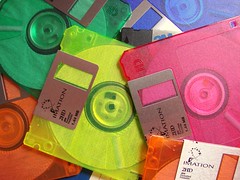
People in the computer industry measure computer advancements in terms of them doubling in capability, every 18-24 months. A well know engineer and co-founder of Intel, Gordon Moore, reported this in 1965 and it is now know as Moore’s Law. Advancements in technology and computing capability have supported this original research for over 40 years, and it does not appear to be slowing down in the near future. One example of this, which leads to my first example, is digital storage space. We have gone from computers that had hard drives of 40MB, about the capacity of 30 3.5 “floppy disks”, to computer that now can come with 1 Terabyte of storage, about the capacity of 769,230 “floppy disks.” These changes took place in less than 20 years. One relatively new storage medium we have are USB flash drives. Some people call them “thumb drives.” Originally these came in pretty small sizes. About 4 years ago you get a 64MB or 128MB drive for around $30 dollars, now $30 dollars will get you a thumb drive that is from 4-8GB in size. So what does this all mean? Well, the 64MB or 128MB thumb drives are as cheap as $7. At the next educational conference you go to, the vendors there will probably be giving them away for free! Swing by a few of their booths’ a couple of times and you’ll create a nice classroom collection...no joke! Once you have a few of these, start a check-out system in your classroom for students to check them out and take home. Before they check them out, load them up with the, free, Microsoft PowerPoint Viewer installer and your vocabulary lesson PowerPoint, and the students can review the content at home with Mom or Dad! For those of view that are not familiar with thumb drives, the tutorial below will walk you through the process of using one and setting it up for your students.
1. Organize your resources on your computer
2. Download and save the Microsoft PowerPoint Viewer Installer application.
- You can download the Microsoft PowerPoint Viewer Installation disk HERE.
3. Copy PowePoint Viewer Installer and your Vocabulary PowerPoint presentation to the USB flash drive.
4. Create a "Read Me First" basic text file to provide instructions and save it to the USB flash drive.Example Two
The tutorial below will walk you through the process of taking your existing PowerPoint presentation and converting it into a SlideShare presntation and then posting it to your classroom web site.
1. Create a new account on SlideShare.net
2. Upload your PowerPoint presentation.
3. Copy the html embed code into your classroom web site and test your new web resource.
- Special Additional Note: It appears you have to make your SlideShare presentation PUBLIC in order for the embed html code to work.
Example Three
Example three follows much of he same processes as example two. In this remix of your PowerPoint vocabulary resource you will be combining high end video transitions and adding a music sound track to add just a bit more “spice” to your vocabulary presentation. We will be using another free web resource titled Animoto. This web resource will require that we export each one of our PowerPoint slides as a single images. These images are then loaded up into Animoto via your web browser, remixed together, and a soundtrack can be added by you compete the new resource. As with SlideShare, this new resource will have an embed code that you can copy and past into your classroom web site (via the html window).
Below is an example:
Below are the steps to create your own Animoto vocabulary review presentation.
1. Export you PowerPoint presentation as individual jpeg slides.
2. Duplicate your slides a couple of times.
3. Upload images into Animoto.
4. Select a sound track for your presentation.
5. Copy embed html code and paste it into your classroom web site.
No two Animoto presentations are ever the same. That means you could take the same exact images and create a second movie and the resulting movie would be different from the first.
For example:
*Floppy disk image courtesy of: http://farm3.static.flickr.com/2157/2225888887_4cd1d7bc6c_m.jpg
Friday, February 8, 2008
The Beginning...
Stay "tuned" for more...


.jpg)