Showing posts with label YouTube. Show all posts

Tuesday, April 11, 2017

Saving YouTube Videos to Your iPad

Here's a quick little tutorial for saving YouTube videos to your iPad.  Many times it can be challenging for teachers to share YouTube videos with their students when web filters or restrictions prevent the videos from being displayed. An easy way around that problem is to just save the YouTube video to your Photo Collection/Photo Gallery on your iPad. Then you can play the video without needing any Internet access.


In order to to this we are going to use two strategies.


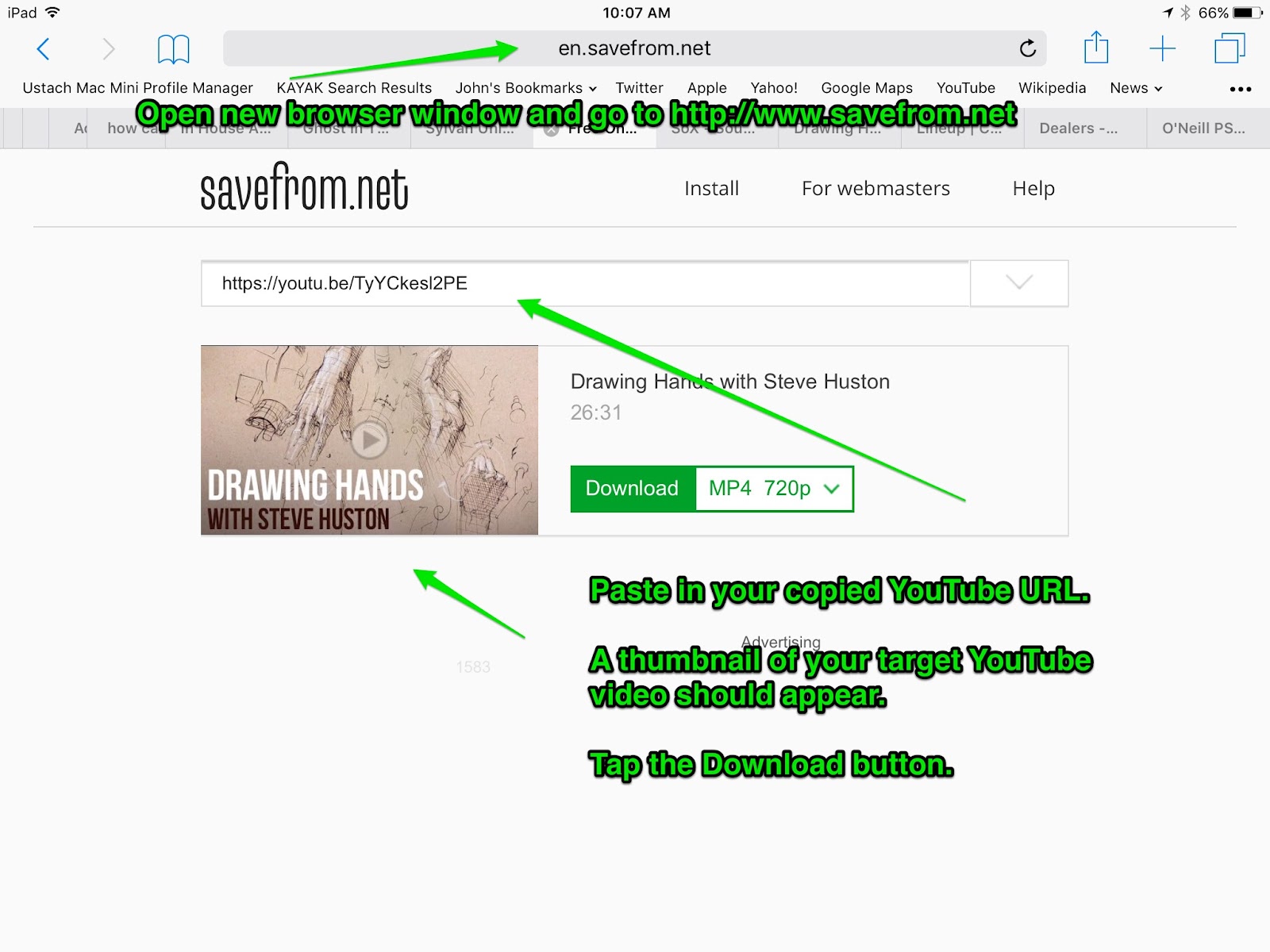
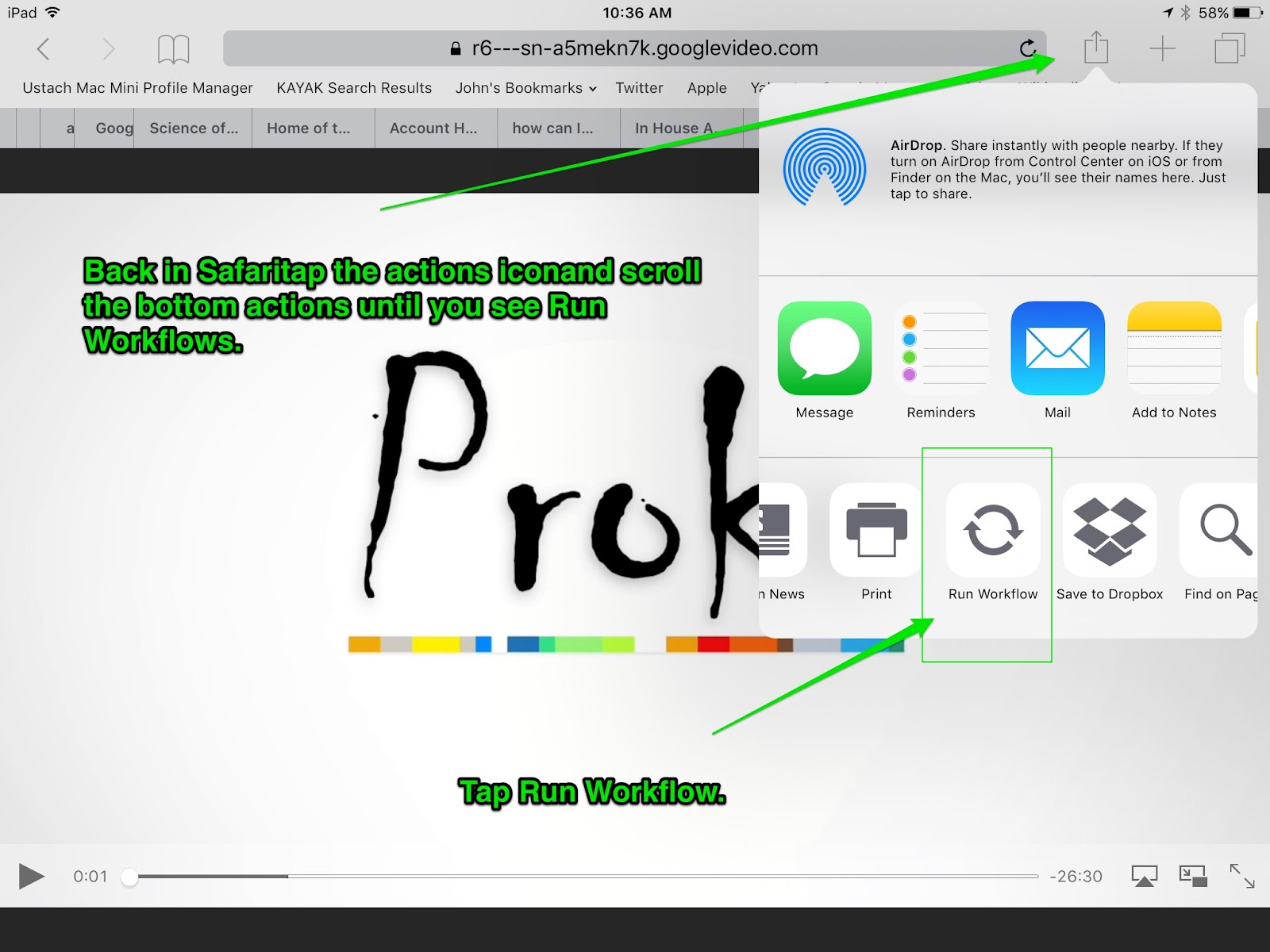
The first strategy is to use one of the existing web sites that allows for downloading YouTube videos.  One of my favorites is http://www.savefrom.net.  If you are on a desktop/laptop computer, you can stop after this strategy. These websites allow you to save the YouTube video directly to your computer’s hard drive.   However, if you are using an iPad, you will need to apply one more strategy. The second strategy will give us the opportunity to use a great application called Workflow (https://appsto.re/us/2IzJ2.i)

(To enlarge images, right click them and open the image in a new window.)


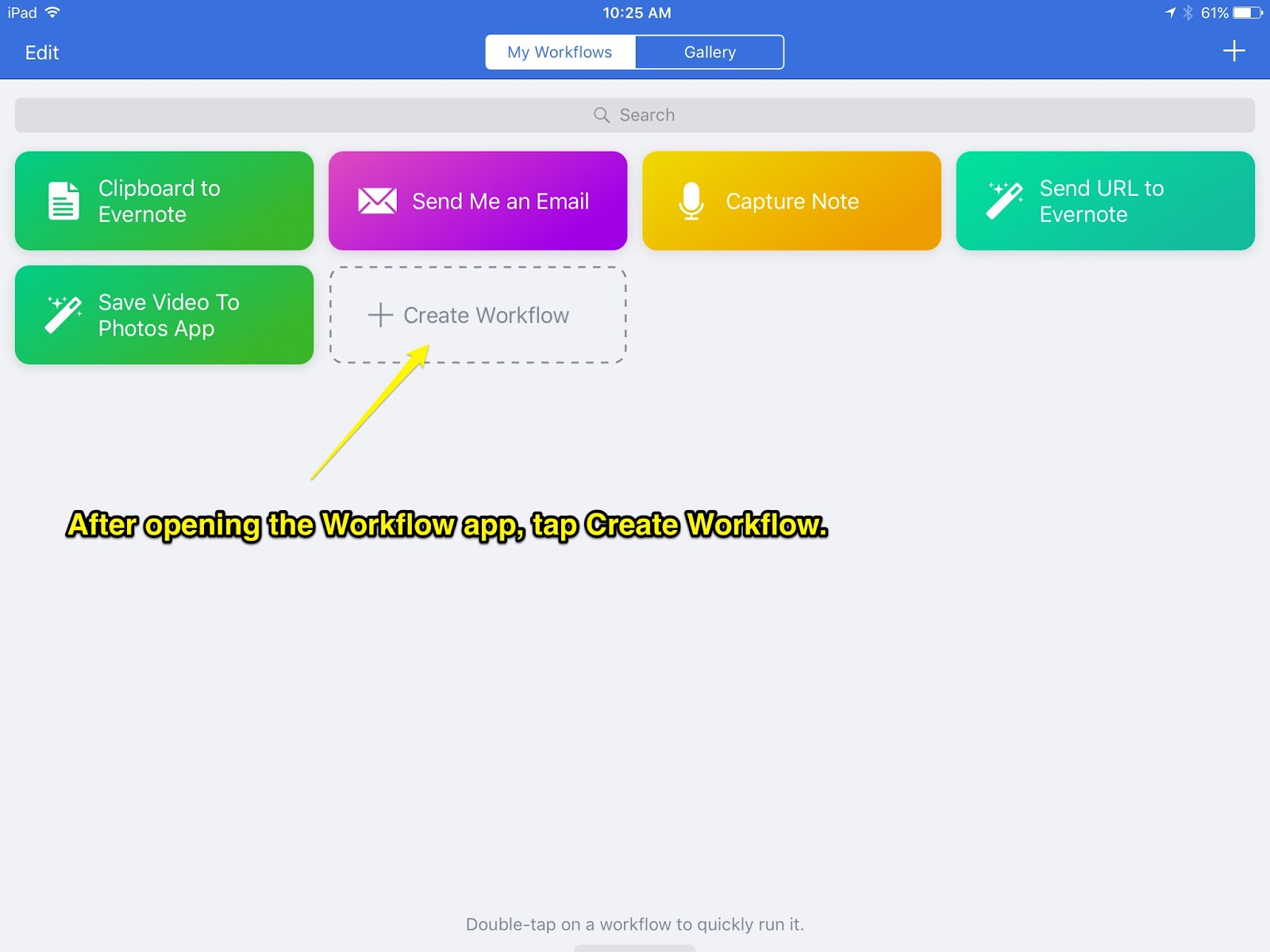
Second strategy is to use the Workflow app and create a new workflow.

Install and then open the Workflow app.


That's it! Your YouTube videos are ready to play directly from your Photos app, no Internet required.


Sunday, November 3, 2013

Making with LiveCode - YouTube Playlist Broadcaster & Playlist Generator


It seems the answers to almost any questions these days can be found by simply querying Google. In the same way answers can be found in Google, Youtube videos, in the form of tutorials, can be found covering almost as many themes. One small drawback to using YouTube videos are the advertisements embedded within the videos and the sometimes unrelated video links that accompany the targeted video resources.

This weekend I worked on finishing up a little iOS app that hopefully well provide a way to utilize the useful video resources in YouTube and eliminate some of those niggling issues. My solution comes in the form of two iOS apps. The first is the YT Playlist Broadcaster and the second is the tool for generating the playlists. Both apps were created in LiveCode an authoring applications developed by RunRev. There are both commercial versions of the development tools and a free OpenSource Community Edition. Both versions create Windows, Macintosh, Linux, iOS and Android apps.


The YT Playlist Broadcaster utilizes both SQLite and mySQL database connections, was designed using the built in graphic capabilities of LiveCode and some additional imported graphics. LiveCode works in conjunction with OS X Developer tools to create standard iOS apps that can be deployed to an iOS device during development for testing and then distributed either through iOS Enterprise Developer license models or through the iOS App Store.

The YT Playlist Broadcaster allows a teacher to create a playlist of YouTube videos and eliminate the advertising and linking videos normally associated with YouTube videos. Students can take notes on the iPad while watching the assigned videos and videos can play full screen when not in note taking mode.

The iOS app used by teacher to create the playlist has been designed for simplicity. Teachers can create a playlist document, provide a short summary of the playlist and then add only the short unique address associated with the targeted YouTube videos. When playlists are complete the teachers simply supplies the unique playlist number identifier to the student which then can be plugged into the YT Playlist Broadcaster to access the video resources.


Later this month I will be presenting with @trubol (Burt Lo) at the annual CETPA conference in Pasadena. Be sure to check out our session on developing apps with LiveCode on Thursday at 3:30 in the Hands On Lab, Room 103.